Zip Code Analysis:
This page will guide you through the process of using the U.S. Census Bureau American Fact Finder web site, for a detailed zip code analysis.
Zip Code Analysis (9 Step Process)
/Business Pattern Data – Based on Zip Code
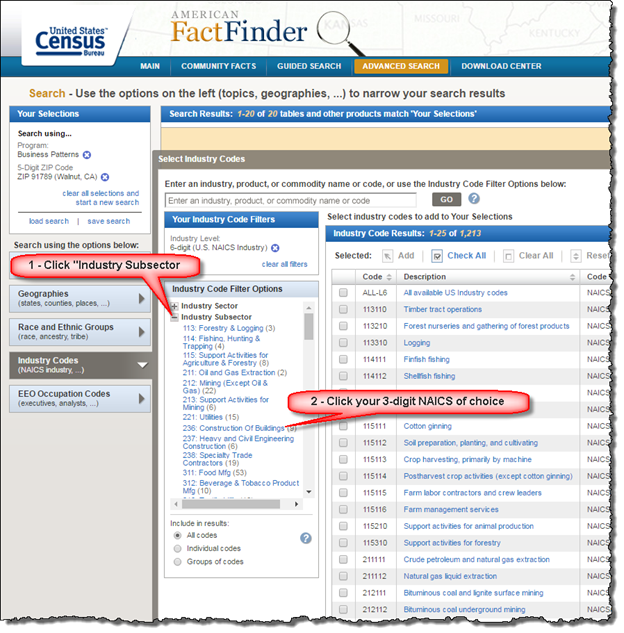
Go to: http://factfinder.census.gov/  (will open in a new tab for your convenience)
As below, click on “Annual Economic Survey” link.
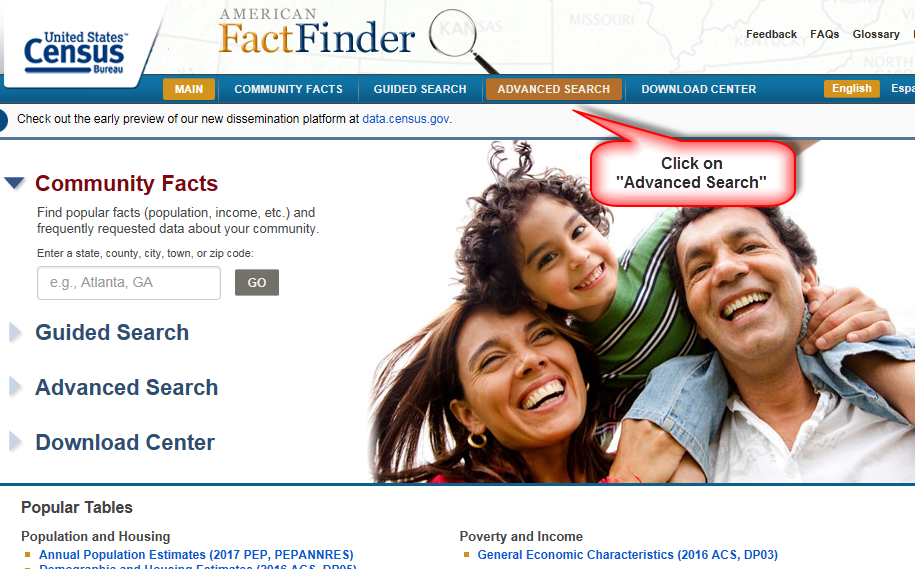
As below, click on the arrow to right of “Geographies” in left menu, and then on
“Select Geographies” drop menu, and then on “5-Digit Zip Code”:
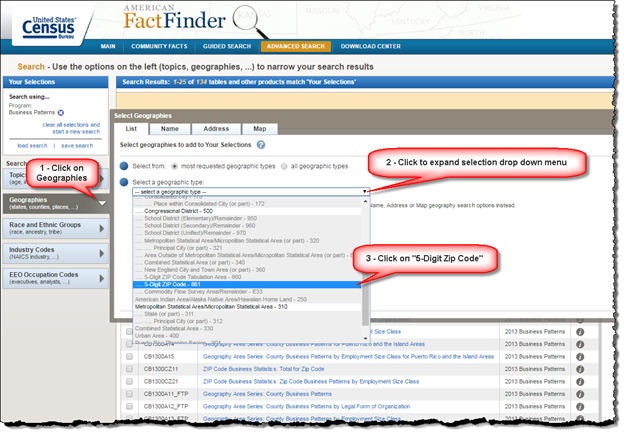
As below, first, select the state, next select the zip code, then click “Add to your Selections”.
You will then notice that your search now has “Business Patterns” and the Zip Code(s) you selected.
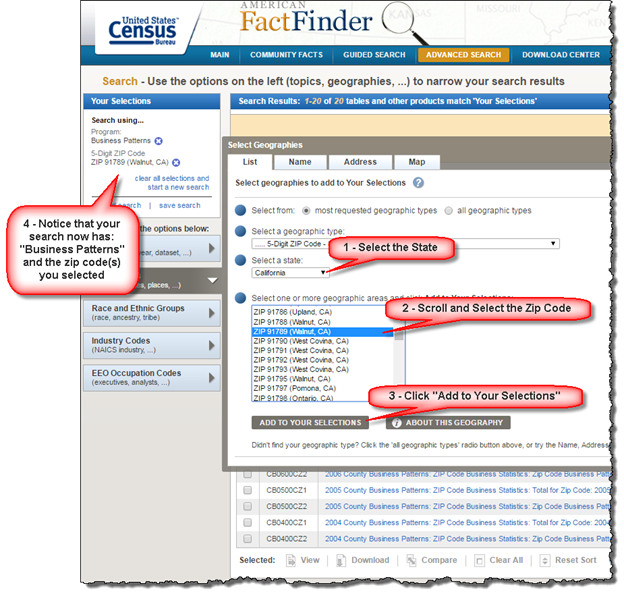
As below, click on the left menu item “Industry Codes”, then click the “+” to the left of
“Industry Level", then click on “6-Digit (U.S. NAICS Industry)”:

As below, click the “+” to the left of “Industry Subsector”, then click on the 3-digit NAICS of your choice.
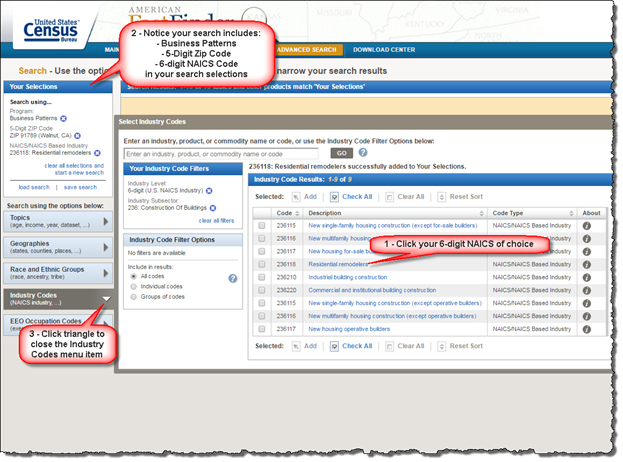
As below, click on the 6-digit NAICS Code of your choice, after which you will notice that the 6-digit code will appear in your search selections. Next click on the triangle to the right of the left menu item “Industry Codes”:
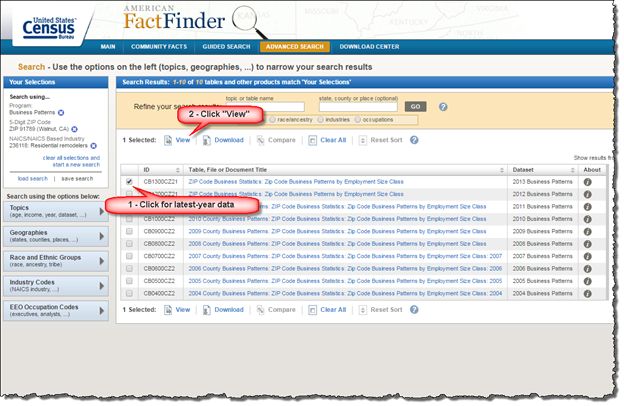
As below, click the checkbox to select the latest-year data, then click on “View” to see your results:
As below, your results appear. If no results appear, you will see "The data you requested are not available". This means that there are no businesses in their database for the business type (NAICS) and zip code that you selected. Try a different zip code for a different result.
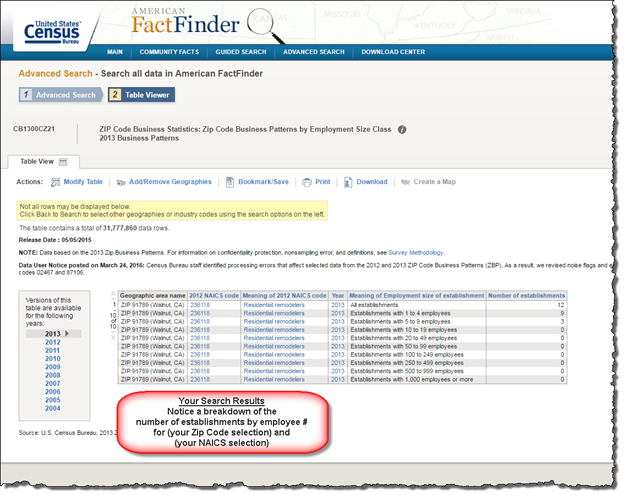
You will end up with a listing of businesses, of the NAICS you chose, in the zip code you chose, broken down by number of employees in the firm.
You can replicate this process for multiple cities and NAICS.
Developed by Ralph Jagodka © 2017-2026

© 2026 - Disclaimer - Privacy